
Build
Configurators + quotes
Stop rebuilding product setup
Define cabinet dimensions, window hardware, equipment options, materials, and valid combinations once. Then use APIs or ready-made web components to ship the interface each buyer needs.
Plan your first toolBuild
Configurators + quotes
Product setup
Define it once
Connect with
APIs + components
What Vertcie manages
Specifications, options, relationships, metadata, and status.
Rules, dependencies, valid combinations, and product behavior.
Approved 3D models, materials, maps, images, and documents.
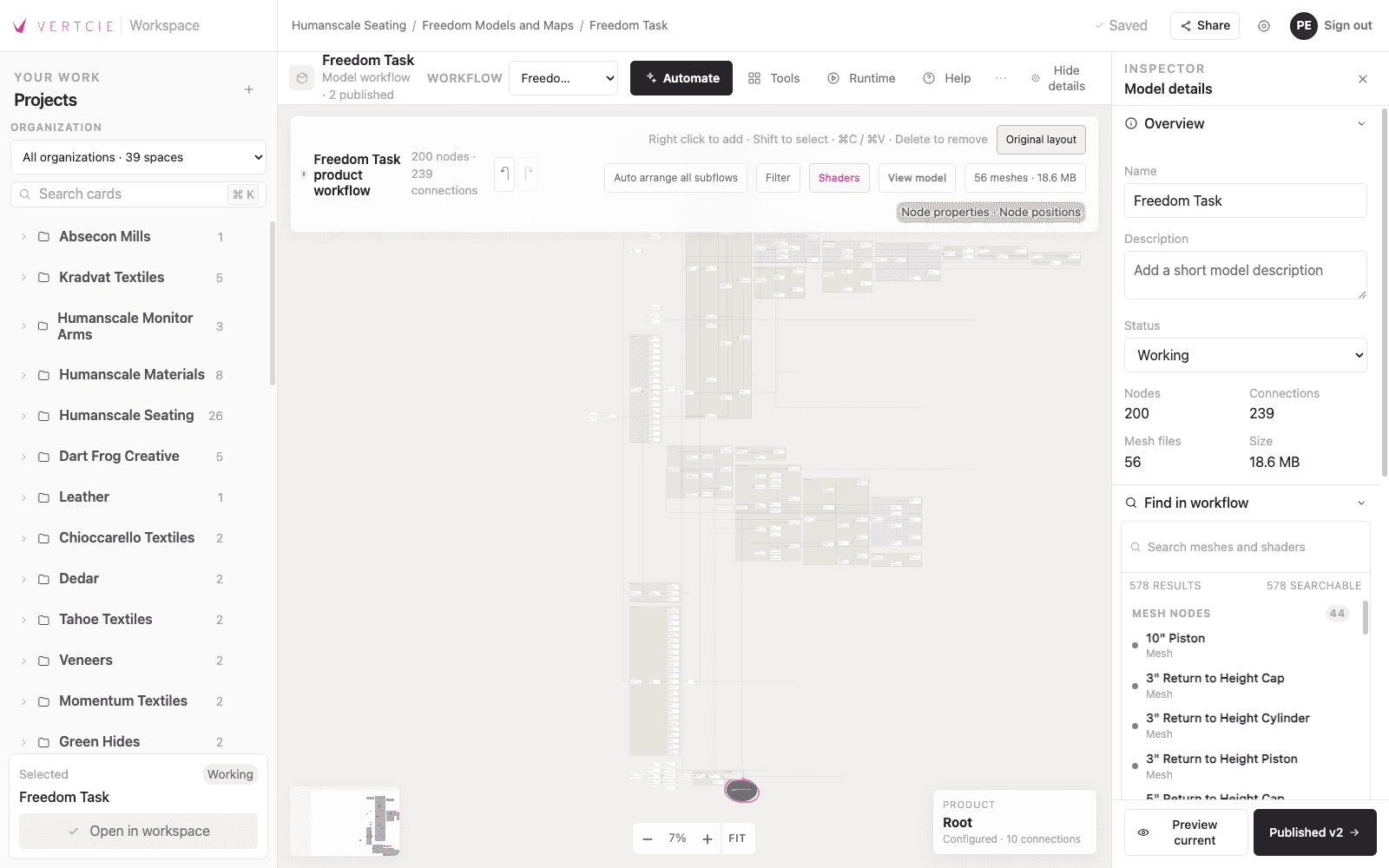
Nodal workflows
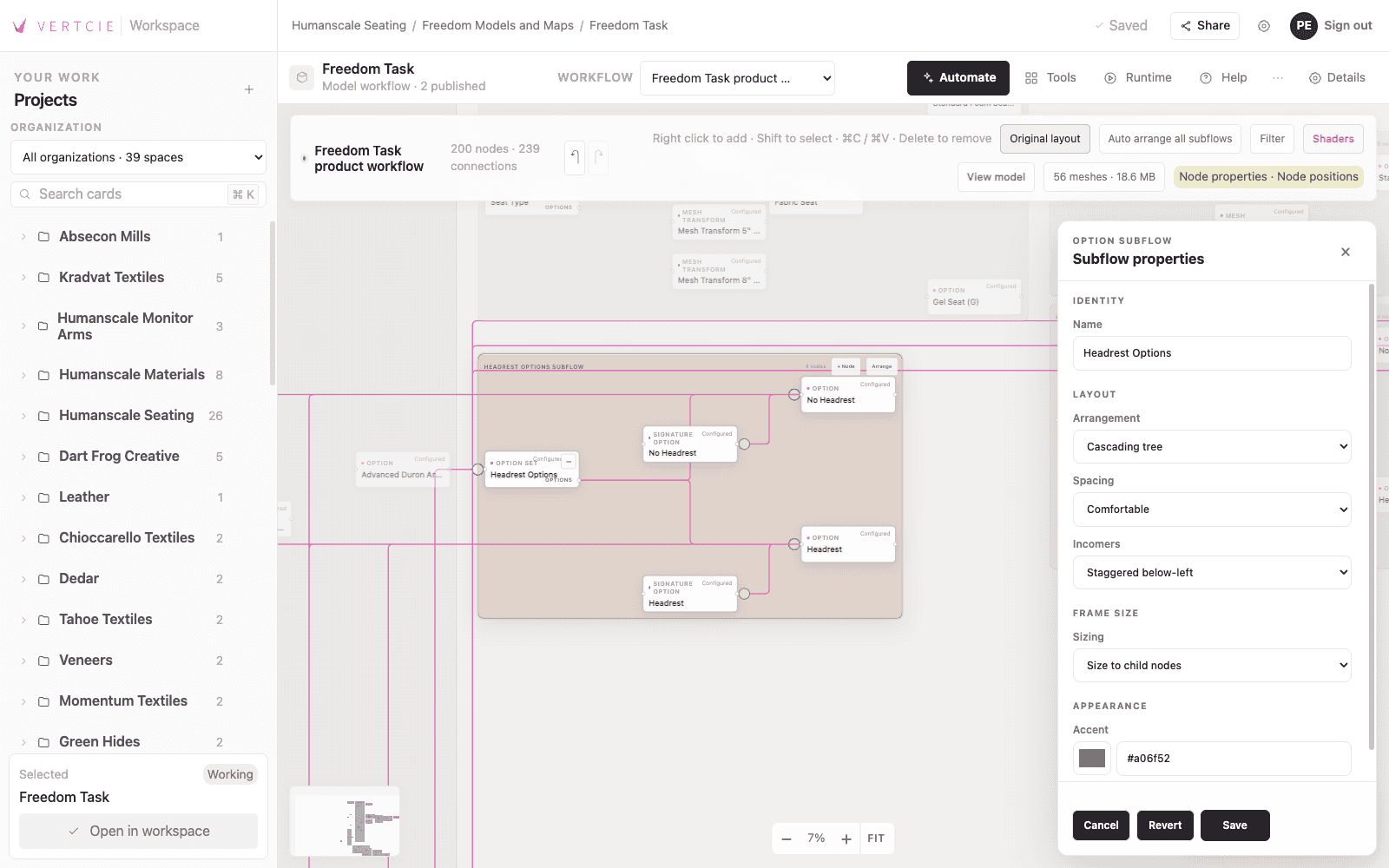
Connect options, rules, meshes, materials, and outputs in one inspectable workflow instead of burying the same logic inside every application.
Subflows group related decisions and can nest again when a choice introduces its own options. That keeps recursive product logic understandable, editable, and reusable as the product grows.
Specialized tools
Each person gets tools for the job while working from the same reviewed product information.
Prepare, test, and maintain production-ready 3D content in the same workspace as product data and logic.
Build materials and maps, assemble models, test product variants, and review the final result before publishing.
Explore artist documentationAdd approved product data and behavior to an application without rebuilding the product model or interface from scratch.
Design the runtime experience, generate integration code, validate product rules, and extend supported APIs when an application calls for custom behavior.
Explore developer documentationVertcie community
Product managers, content creators, 3D artists, and developers can see the same options, rules, files, and released versions instead of rebuilding product knowledge for every project.
Formats + rendering
PNG · JPEG · WebP · AVIF
GLB · FBX · OBJ · DXF · USDZ
CSV · JSON · PDF
GPU-enabled real-time path tracing
Built for developers
Vertcie Client loads the product options and rules into your application. Custom elements provide useful controls immediately; APIs let your developers build a completely custom interface.
Add to your page
<vertcie-expanders />01
Use a custom element in an existing page.
02
Vertcie Client supplies the released options and rules.
03
Style the interface or extend it with custom code.
API functionality
Your team owns the interface. Vertcie supplies the sizes, finishes, valid combinations, and released version it needs.
Retrieve products, options, specifications, relationships, and application-ready metadata.
Bring valid combinations and dependencies into your own interface.
Keep an application on a known version until you are ready to adopt the next release.
Reuse the same product context across configurators, planning tools, commerce, and internal workflows.
AI-built applications
AI can generate the interface and application code. Vertcie supplies the approved options, relationships, assets, and rules that keep the result grounded in the product you actually sell.
The request
“Build a quote flow for an office chair with upholstery, arms, cylinders, and caster options.”
What happens
AI builds the interface from a released Vertcie package. The quote only offers valid combinations, and the dealer receives the approved product identifiers needed for the handoff.
The request
“Help a support agent narrow a catalog by dimensions, materials, performance, and compatibility.”
What happens
AI turns structured specifications and relationships into a guided internal tool. Support staff can reach a valid recommendation without memorizing the entire catalog.
The request
“Create a focused buying experience for one product family using our existing design system.”
What happens
AI writes the front end while Vertcie supplies current options, materials, images, and rules. The team reviews the interface without asking AI to invent how the product works.
Integrated tools
Delivery
Launch with a configurator using expanders or a SKU-based structure at no additional cost.
Load the released product options and rules inside a customer-facing application.
Give AI and developers structured access to product data and logic.
Keep an application on the exact product version your team reviewed.
FAQ
AI can generate software, but it cannot reliably invent your approved product rules, production 3D assets, materials, options, or release data. Vertcie manages and delivers those inputs.
Yes. Developers can use the APIs, web components, released product versions, and scene tools directly. AI is optional.
Configurators, commerce interfaces, sales tools, support tools, internal applications, AR experiences, and other product endpoints.
Yes. Vertcie accepts web-ready models and provides a runtime, APIs, and developer tools for custom applications.
You do. Your investment goes into reusable product data, logic, 3D assets, and tools—not an inflated software stack you do not need.
Yes. Vertcie Compute is an optional service for cloud-based image generation. It is priced separately in USD and is not included in the platform fee.
Teams review product options, assets, and rules, then publish a named version. Each application can stay on that version until its team is ready to update.
Next step
We’ll walk through its options, rules, files, and users, then identify the shortest path to a working release.